Kirkify vs Other Face Swap Tools: Practical Comparison for 2026
Kirkify vs Other Face Swap Tools: Practical Comparison for 2026
What You Will Learn in This Comparison
Most comparison articles focus on hype. This one focuses on decision factors you can test quickly:
- output quality for normal social content (not lab-perfect benchmarks)
- processing time and workflow friction
- privacy and data handling expectations
- price structure and lock-in risk
If you want to choose one tool for daily use in 2026, this guide will help you decide in under 10 minutes.
What Actually Matters in a Face Swap Tool
Before diving into specific comparisons, it's worth understanding what separates a genuinely useful tool from one that merely looks impressive in marketing materials. A few things really matter here.
Ease of use is first. Tools that require tutorials, downloads, or steep learning curves create friction that most people won't tolerate. The best ones just work—you upload, click, done. No wrestling with interfaces, no parameter tweaking. You focus on your creative idea, not the software.
Quality results matter, but not in the way you'd think. You don't need photorealism. What you need is something that looks intentional and polished enough to share on social media. A slightly stylized result that's instantly recognizable often beats a creepy attempt at perfect realism.
Speed matters too. Waiting minutes for a transformation kills the creative flow. Good tools deliver results in seconds, letting you iterate and experiment without friction.
Privacy is non-negotiable now. Your photos shouldn't be stored indefinitely or used to train models without your permission. Transparent, privacy-first approaches build real trust.
Cost accessibility is important. Premium features are fine, but the core tool should be free or cheap. Paywalls that gate basic features just keep people out.
And finally, reliability. When you need the tool, it should work. Consistent performance without crashes means you can actually depend on it.
Kirkify: Built for Creators
Kirkify emerged from a simple observation: most face swap tools treat the technology as an end in itself, optimizing for technical perfection rather than creative utility. Kirkify took a different approach. Rather than chasing photorealism, it developed a distinctive aesthetic specifically designed to create engaging, shareable content.
This philosophy shapes everything about the platform. The interface is deliberately minimal—upload, choose a style, transform, download. No settings to tweak, no parameters to adjust, no learning curve to climb. This simplicity isn't a limitation; it's a feature. By removing friction, Kirkify lets creators focus on what matters: the creative idea itself.
The results reflect this philosophy too. Kirkified content has developed a recognizable visual signature that's become culturally significant. When people see kirkified content, they immediately understand what they're looking at. This instant recognition is powerful for social media, where standing out in a crowded feed is half the battle.
Beyond the tool itself, Kirkify has cultivated a genuine community of creators who share techniques, celebrate each other's work, and push the boundaries of what's possible with the format. This community aspect adds value that purely technical tools can't replicate.
How Competitors Stack Up
The face swap market has matured considerably, and several strong alternatives have emerged. Each has carved out its own niche by optimizing for different use cases and user preferences.
FaceSwapper Pro: The Power User's Choice
FaceSwapper Pro appeals to users who want granular control over the transformation process. The tool offers detailed adjustment options, can handle multiple faces in a single image, and provides various customization parameters that let experienced users fine-tune results to their exact specifications.
This power comes with a cost. The interface is considerably more complex, with numerous settings and options that can overwhelm newcomers. Processing times stretch into the 10-30 second range, and achieving good results often requires experimentation and adjustment. The subscription model ($9.99/month) also creates an ongoing financial commitment.
For creators who want maximum control and don't mind investing time in learning the tool, FaceSwapper Pro delivers impressive results. For everyone else, the complexity becomes a barrier rather than a feature.
Reface: Mobile-First and Video-Focused
Reface built its reputation by focusing on mobile experiences and video content. The app works smoothly on phones, includes a library of templates and GIFs, and excels at creating video transformations—a capability that static-focused tools like Kirkify don't offer.
The tradeoff is that Reface's results sometimes lean toward the cartoonish rather than the polished. The subscription model gates premium features, and the mobile-first approach means the web experience feels secondary. For creators specifically interested in video content or who primarily work on phones, Reface is a solid choice. For static image creation, Kirkify's approach tends to produce more natural-looking results.
DeepFaceLab: Professional Grade, Professional Complexity
DeepFaceLab represents the opposite end of the spectrum from Kirkify. It's a powerful, open-source tool that produces exceptional results—arguably the highest quality available. Professional content creators, researchers, and VFX artists use it to create stunning transformations.
The barrier to entry is substantial. DeepFaceLab requires technical knowledge, involves complex setup procedures, and processes images over hours rather than seconds. It demands powerful computer hardware and a significant time investment to learn properly. For most users, this is overkill. For professionals who need the absolute best quality and have the expertise to use it, DeepFaceLab is unmatched.
Snapchat Face Swap: Real-Time and Ephemeral
Snapchat's built-in face swap feature deserves mention because it's genuinely useful for a specific purpose: real-time fun during live conversations. The technology works instantly, requires no setup, and integrates seamlessly into the platform's social experience.
The limitation is that it only works with live camera feeds. You can't use existing photos, and results are temporary unless manually saved. For quick, spontaneous fun, Snapchat is perfect. For creating polished, shareable content from existing photos, it falls short.
FaceApp: Modifications Beyond Swapping
FaceApp takes a broader approach, offering various face modifications beyond just swapping—aging effects, gender swaps, style transfers, and more. The results are often impressive, and the tool has built a large user base.
However, FaceApp's focus on modifications rather than true face swapping means it's solving a different problem. Additionally, privacy concerns around data handling have dogged the platform, and most advanced features sit behind a subscription paywall.
The Practical Comparison
Looking at the landscape, the patterns are clear. DeepFaceLab produces the highest quality but needs expertise and time. FaceSwapper Pro offers control at the cost of complexity. Reface excels at video and mobile. Snapchat is fun for real-time stuff. FaceApp handles modifications well.
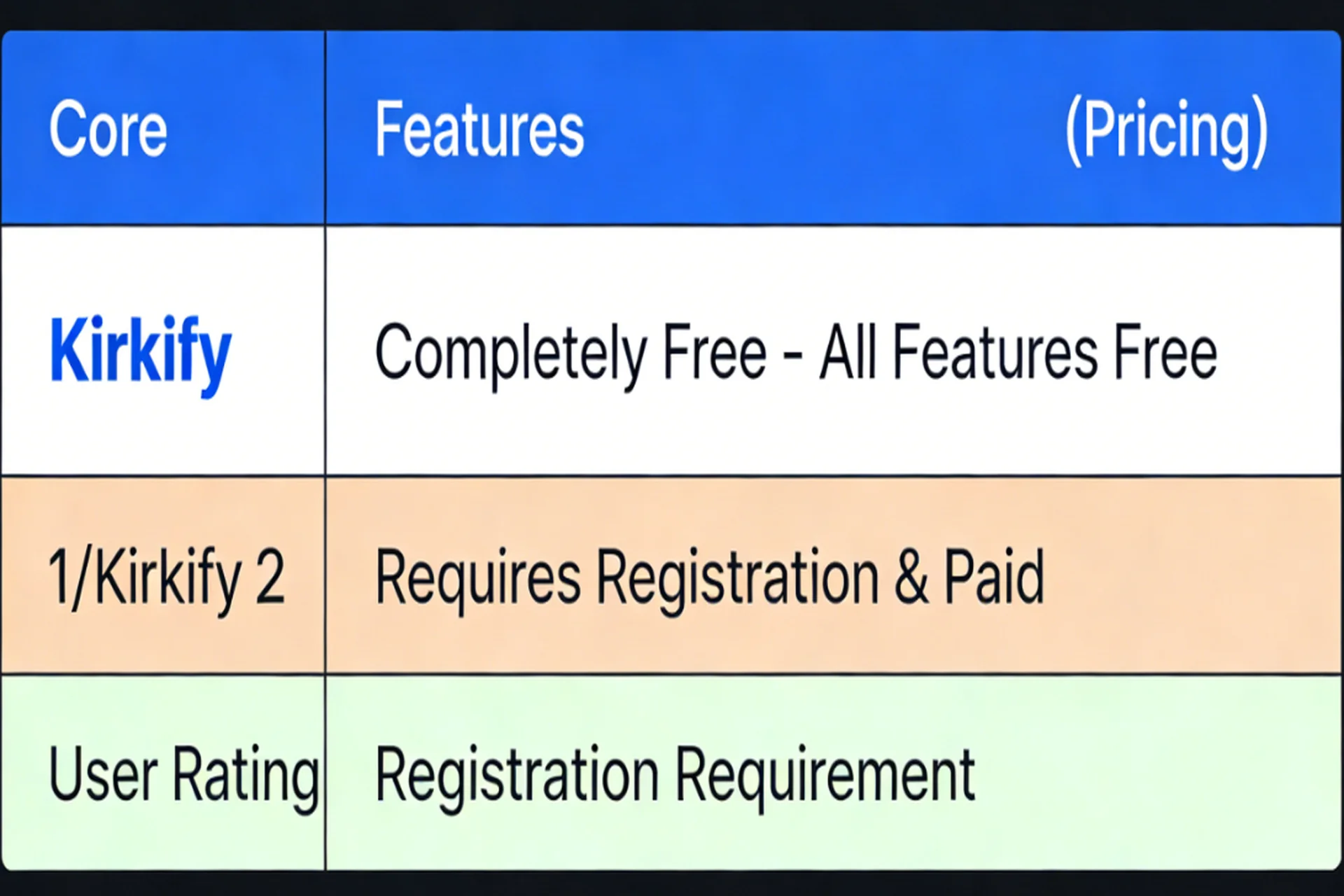
Kirkify sits in a unique spot: genuinely good results (not the absolute highest quality, but excellent for social media), zero learning curve, seconds-fast processing, completely free, transparent privacy. It's built for the 95% of users who want to create engaging content without becoming image processing experts. That's why it's popular—it does one thing well instead of trying to be everything to everyone.
Quick Decision Matrix
- Choose Kirkify if your priority is fast, simple, shareable outputs.
- Choose FaceSwapper Pro if you need manual controls and can accept complexity.
- Choose Reface if your workflow is mainly short video on mobile.
- Choose DeepFaceLab if you are technical and need production-grade control.
- Choose Snapchat for live, temporary face-swap moments.
When to Choose Alternatives
The right tool depends on what you actually need. If you're a professional who needs the absolute highest quality and has time to learn complex software, DeepFaceLab is worth it. If you mainly create videos and prefer mobile, Reface has advantages Kirkify doesn't. If you want granular control over every transformation detail, FaceSwapper Pro gives you that. But if you just want to create engaging content quickly without complexity or cost concerns, Kirkify is the obvious choice.
Why Kirkify Is the Default Choice for Most Users
Great tools should be invisible. You shouldn't think about the software—you should think about your creative idea. Kirkify gets out of the way.
The speed is practical: most requests complete in about 10-30 seconds, which is fast enough for iterative testing. The consistency is reliable for daily social use, and the workflow requires almost no setup. For creators who care more about shipping than tweaking, that combination is usually more valuable than maximum theoretical quality.
Getting Started
If Kirkify sounds right for you, getting started is literally seconds. Visit kirkify.uk, upload a photo, choose a style, click transform, download. No registration, no downloads, no setup. That's it.
Conclusion
The face swap landscape has real options for different needs. Each tool has its niche. But Kirkify's combination of simplicity, speed, quality, cost, and community makes it the natural choice for most people who want to create engaging content without friction.
Pick the tool that matches what you actually want to do, not what you imagine you might want. If you're honest about it—you want to create fun, shareable content quickly—Kirkify delivers exactly that. Try it and see why hundreds of thousands of creators have made it their go-to tool.
Related Reading
References
Quick FAQ
Is Kirkify better for beginners?
For most beginners, yes. The workflow is simpler and faster to learn than advanced tools.
When should I choose another tool?
Choose alternatives if you need advanced manual controls, local model customization, or professional VFX-grade pipelines.